Odoo Upgrade Services in the UAE
Plan Your Move to Odoo 20, Including Custom Modules, Integrations and UAE Settings
Odoo 20 is out, and every Odoo company in the UAE now has an upgrade decision to make. The standard part is usually simple, because Odoo’s own upgrade service migrates the database. Custom modules, third-party apps, reports and integrations are what take time, and that is where Techvaria starts. Our Dubai team plans and runs Odoo upgrades for companies across the UAE, from a first assessment to support after go-live.
Home / Odoo Upgrade Hub
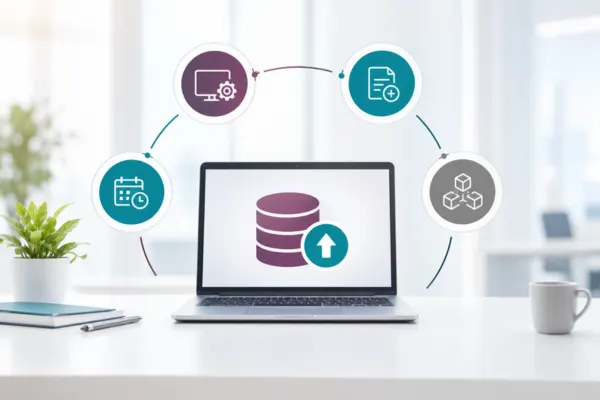
Is It Time to Upgrade Your Odoo Database?
Upgrade now if any of these apply:
- You are on a version Odoo no longer supports. Odoo provides support and bug fixes for the three most recent major versions, according to its supported versions policy.
- You need a feature, localisation update or connector that only exists in a newer version, such as a connector to your UAE e-invoicing service provider.
- Custom modules are holding you back and need rework anyway.
Wait one or two minor releases if you rely on many third-party apps that are not yet available for Odoo 20. Our Odoo version support and end-of-life timeline shows where each version stands.
Why Custom Code, Not Data, Sets the Pace of an Upgrade
Odoo’s upgrade documentation is clear about the split. With Odoo Enterprise, upgrading the standard database is part of the subscription, but the service excludes custom modules built in-house or by third parties, including Odoo partners. Those modules must be made compatible with the target version before the upgrade, and fixing anything a new version breaks is the job of whoever maintains them. The documentation also recommends testing an upgraded copy first. That copy is neutralised, with scheduled actions, outgoing mail and payment providers switched off or set to test mode, so integrations, automated actions and cross-app workflows need deliberate checking before production moves. In practice, the number of custom and third-party modules, and how closely they touch accounting and stock, decides how long an upgrade takes.

What We Migrate in an Odoo Upgrade
Each part of your database is handled differently, so we plan them separately and test them together.
| Item | What we do |
|---|---|
| Standard data | Run Odoo’s upgrade service on a copy of your database and validate the result |
| Custom modules | Port the code to the new version’s API, remove what is now standard, and test each module |
| Third-party apps | Check availability for the new version, then replace or rewrite the ones that are missing |
| Reports and documents | Rebuild invoice, quotation and delivery templates, including UAE VAT and bilingual layouts |
| Integrations | Re-test payment gateways, e-commerce, banks, the e-invoicing connector and APIs |
| Localisation | Check UAE VAT returns, tax grids, corporate tax reports and the WPS payroll file |
Upgrade Assessment
A module inventory, a gap list for the target version and a fixed quote, so you know the scope before any code changes.
Test Upgrade on Staging
Your database upgraded on a staging copy, with the production filestore added so documents and attachments behave as they will after go-live.
Custom Module Porting
Custom code rewritten for the new version’s API, with features that Odoo now offers as standard removed rather than carried forward.
Third-Party App Review
Each installed app checked for a version-compatible release, then replaced, rewritten or retired where nothing suitable exists.
Reports and Document Templates
Invoices, quotations and delivery notes rebuilt for the new version, including UAE tax invoice details and Arabic-English layouts.
Integration Re-testing
Payment gateways, bank feeds, e-commerce, e-invoicing connectors and custom APIs tested end to end against the upgraded database.
UAE Localisation Checks
VAT returns, tax grids, corporate tax reports and payroll outputs compared with your current figures before you sign off.
Cut-Over and Hypercare
A scheduled weekend cut-over with a rollback plan, then fixes and user support while your team settles into the new version.
Odoo Upgrade Paths We Handle
Odoo’s documentation states that a database can always be upgraded from any version, and its own example moves a database across more than one version in a single request. The effort depends on where you start, which edition you run and how much custom code has built up along the way.

Odoo 19 to Odoo 20
The shortest path, usually limited to reviewing changes in the apps and custom modules you use.
Odoo 18 to Odoo 20
A two-version step, common for companies that waited for Odoo 20 before upgrading.
Odoo 17 to Odoo 20
A larger change in code and screens, often with several custom modules to port.
Odoo 16 to Odoo 20
Older customisations are reviewed for features that are now standard before anything is ported.
Odoo 15 to Odoo 20
A database several versions behind, where reports and integrations usually need rebuilding.
Older Versions
Earlier databases can still be upgraded, with more time allowed for data checks and custom code.
Community to Enterprise
Moving editions at upgrade time, so the official upgrade service and Enterprise apps become available.
Community Upgrades
Community databases upgraded with open-source tools such as OpenUpgrade, with extra testing.
Odoo.sh and On-Premise
Upgrades for self-hosted and Odoo.sh databases, planned around your hosting and deployment process.

How an Odoo Upgrade Runs
- Assessment: module inventory, gap list and a fixed quote.
- Test upgrade: your database upgraded on staging, with custom modules ported.
- User testing: your team tests real scenarios such as month-end close, the VAT return, sales-to-delivery and purchase-to-pay.
- Final upgrade: a scheduled weekend cut-over, with rollback ready.
- Hypercare: fixes and user support after go-live.
Production moves only after you sign off the tested copy. If the upgrade also needs data brought in from another system, our Odoo migration services in the UAE cover that part of the work.
Industries We Serve Across the UAE
Odoo 20 in the UAE: E-Invoicing, Editions and Hosting
Three questions shape most UAE upgrade plans, and each is worth settling during the assessment.
Odoo 20 and UAE e-invoicing
Odoo is not on the Ministry of Finance’s list of accredited e-invoicing service providers. UAE businesses on Odoo connect to an accredited provider through a connector, so we check connector support for your target version as part of the assessment.
Community or Enterprise?
Odoo’s official upgrade service covers Enterprise databases. Community databases can be upgraded with community tools, but this needs more testing. Some companies move to Enterprise at upgrade time; our Community to Enterprise migration service covers that route, and we price both options in the assessment.
Odoo Online, Odoo.sh or on-premise
Odoo Online also receives intermediate releases every two months, and Odoo encourages Online administrators to upgrade regularly. Odoo.sh and on-premise databases move between major versions only, so their upgrades need planning around your own environments.
Still on an older Odoo version? Book a free consultation to plan your upgrade.
Plan Your Odoo 20 Upgrade With a Free Assessment
Book a free upgrade assessment with our Dubai Odoo team. We review your current version, edition and hosting, list your custom and third-party modules, check reports and integrations, and explain what moving to Odoo 20 involves for your database. You get a clear scope and a fixed quote before any work starts.
Frequently Asked Questions
It depends on the starting version, the number of custom and third-party modules, and the integrations involved. A near-standard database moves much faster than a heavily customised one. We give you a timeline with the fixed quote after the assessment.
The upgrade runs on a copy first, and you sign off a tested database before the final cut-over, with a rollback plan ready. Data is validated against your current system at each stage, so differences are found on the copy rather than in production.
Yes. Odoo’s upgrade service can move an Enterprise database across several versions in one project; its documentation gives an upgrade from 14.0 to 16.0 as an example. Custom code is ported once, to the target version.
Odoo provides support and bug fixes for the three most recent major versions, and each version has a published end-of-support date. If your version has dropped out of that window, plan an upgrade before your next major change.
Odoo states that upgrading an Enterprise database to the most recent version is free. That covers the standard database, not custom modules built in-house or by third parties, which need porting, testing and sometimes rewriting.
Each one is checked for the target version. Custom modules are ported to the new API, and anything now covered by standard Odoo is removed. Third-party apps are updated where a compatible release exists, or replaced or rewritten where it does not.
Yes, using community tools such as OpenUpgrade rather than Odoo’s official service, which covers Enterprise. Community upgrades need more testing, so we plan extra time for checking data and custom code.
Yes, through our Odoo support and AMC plans. To plan your upgrade, book a free assessment online, send us your current version and module list or call our Dubai office on +971 56 683 3122.
Resources
Latest Blogs












Partner with Techvaria today. We are a leading provider of automation solutions for industries like EV, e-commerce, manufacturing, logistics, and healthcare, we’ve successfully implemented CX solutions for numerous clients. Our expertise spans ERP, Generative AI, Digital Transformation and business process automation.
Contact us

Email us
Our Office
© Techvaria. All rights reserved 2026