Skip to content

QuickBooks to Zoho Books Migration Services

Your chart of accounts, your customer and vendor balances, years of invoices and bills β€” all of it has to land in Zoho Books with the same numbers your accountant would recognize, or the migration has failed regardless of how clean the process looked on the surface. QuickBooks and Zoho Books don’t structure accounts identically, and a mapping shortcut on something like “Cost of Sales” versus “Cost of Goods Sold” is a small decision that quietly throws off your financial reporting if nobody catches it.

Techvaria migrates businesses from QuickBooks to Zoho Books with the accounting discipline that requires β€” proper account-type mapping, reconciled opening balances, and tax configuration that’s actually correct for where you operate, not just imported and left as-is. As a Certified Zoho Premium Partner, we handle the full migration so your finance team starts in Zoho Books with numbers they can trust immediately.

Why Businesses Are Moving From QuickBooks to Zoho Books

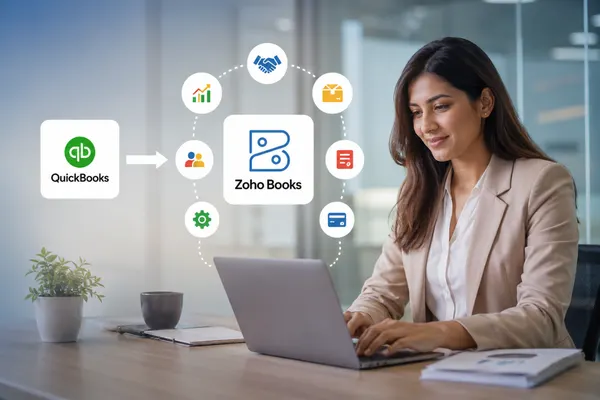
Businesses are increasingly choosing QuickBooks to Zoho Books migration to reduce software costs, simplify accounting, and connect finance with other business operations. QuickBooks can become expensive as businesses add users, inventory, reporting, and advanced features. Zoho Books provides a scalable accounting platform with integrations across CRM, inventory, projects, and other business applications. Zoho Books Implementation Services

For companies operating across countries, Zoho Books also supports multi-currency accounting and regional tax requirements, making it suitable for growing businesses. Integration with Zoho One Implementation Services can further connect accounting with CRM, inventory, HR, and automation tools. A structured QuickBooks to Zoho Books migration helps protect financial data, opening balances, transactions, and reporting accuracy.

VAT, Tax & E-Invoicing Compliance During Migration

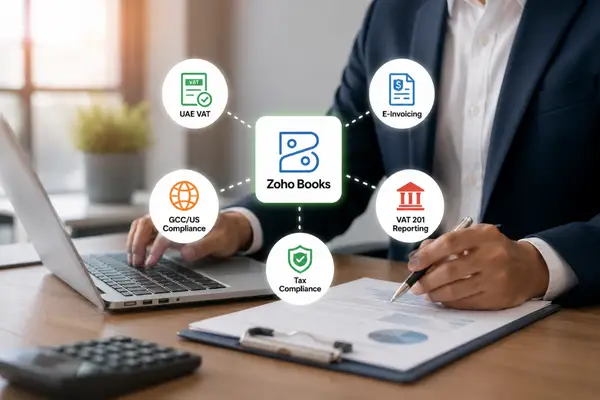
For UAE and GCC businesses, VAT, tax, and e-invoicing compliance should be addressed before moving from QuickBooks to Zoho Booksβ€”not after go-live.

UAE e-invoicing requirements are driving businesses toward structured, standardized invoice data and compliant transmission through approved service providers. Zoho Books can be configured to support UAE compliance requirements as part of the migration, helping reduce reliance on disconnected processes.

UAE VAT configuration also needs careful attention. The 5% VAT rate, tax treatments, and VAT 201 reporting should be mapped and validated before financial data is migrated.

For businesses operating across the GCC, US, or other markets, regional tax rules and reporting requirements should be configured according to each jurisdiction.

At Techvaria, tax and compliance configuration is validated as part of the migration process, helping businesses transition to Zoho Books with greater accuracy and confidence.

VAT, Tax & E-Invoicing Compliance During Migration

Our QuickBooks to Zoho Books Migration Process

We run every migration through five phases, sized to your data volume, entity structure, and financial-year cutoff.

1. Export & Data Audit

We export your QuickBooks data β€” Chart of Accounts, customer and vendor lists, items, trial balance, and transaction history β€” and audit it before anything moves. Account types, inactive accounts, and duplicate customer or vendor records get reviewed now, because an inconsistency caught at this stage takes minutes to fix; the same inconsistency discovered after import means unpicking a completed migration.

2. Chart of Accounts & Account Type Mapping

QuickBooks and Zoho Books categorize accounts differently in places that matter β€” QuickBooks’ "Cost of Sales," for example, needs deliberate mapping to Zoho Books’ "Cost of Goods Sold" rather than being imported as a mismatched label. We document every account mapping decision before import, so your chart of accounts in Zoho reflects a considered structure, not a side effect of a bulk upload.

3. Customers, Vendors, Items & Opening Balances

Customers and vendors are imported with their opening balances, and items carry over with pricing and initial stock levels where inventory is in use. We reconcile opening balances against your QuickBooks trial balance before any transactions are imported β€” Zoho Books requires debits and credits to balance, and this is the checkpoint where we catch it if the numbers don’t tie out.

4. Transaction Migration

Transactions import in sequence β€” invoices, bills, payments received, and payments made β€” so each one lands linked to the correct customer or vendor record rather than as an orphaned entry. We generally recommend migrating opening balances as of your current financial year start plus current transactions, rather than importing your full multi-year history by default, since most businesses don’t need years of old transactions live in the new system to operate correctly.

5. Validation & Go-Live

Before cutover, we reconcile your Zoho Books trial balance against QuickBooks, verify receivables and payables match the source system, and confirm tax reports pull correctly from the migrated data. For businesses with meaningful transaction volume, we recommend a parallel run β€” QuickBooks and Zoho Books operating side by side for a defined period β€” so your team validates real-world usage before QuickBooks is retired.

What Gets Migrated: QuickBooks to Zoho Books Data Mapping

QuickBooks DataZoho Books EquivalentMigration Notes
Chart of AccountsChart of AccountsCertain account types need deliberate mapping (e.g. Cost of Sales β†’ Cost of Goods Sold)
CustomersCustomersMigrated with contact details, tax information, and opening balances
VendorsVendorsMigrated with contact details and opening balances
Products & ServicesItemsMigrated with pricing, purchase rates, and stock levels
Trial BalanceOpening BalancesReconciled account-by-account before transaction import begins
InvoicesInvoicesLinked to the correct customer for accurate receivables
BillsBillsLinked to the correct vendor for accurate payables
Payments Received/MadePaymentsMatched to the correct invoice or bill for accurate outstanding balances
Bank & Credit Card AccountsBank & Credit Card AccountsReconnected to Zoho Books’ bank feed for ongoing reconciliation
Tax CodesTax ConfigurationReconfigured to match the correct VAT/tax regime for your operating region
Custom FieldsCustom FieldsRecreated manually β€” not carried over automatically for non-standard data

We scope how much transaction history actually needs to migrate. Zoho’s own guidance favors migrating opening balances as of your current financial year plus recent transactions over importing your complete historical record by default β€” full historical migration is available where there’s a genuine audit or reporting need for it, but it adds time and cost that most businesses don’t actually require.

QuickBooks to Zoho Books Migration Cost & Timeline

Cost and timeline depend on your transaction volume, how many entities or currencies are involved, and how much of your QuickBooks data needs cleanup before it’s migration-ready.

What drives the cost:

  • Transaction volume β€” a business with a few hundred transactions a month migrates differently than one with thousands
  • Historical depth β€” opening balances plus current year only versus multiple years of full transaction history
  • Number of entities or currencies β€” multi-entity and multi-currency operations add mapping and reconciliation work
  • Data quality β€” duplicate customers/vendors, inconsistent account categorization, and unreconciled QuickBooks data all add cleanup time before migration can begin
  • Compliance configuration β€” UAE e-invoicing setup, VAT configuration, and payroll compliance add scoped work beyond the core data migration

Rough guide by business size:

  • Small businesses (opening balances plus current year only): typically a matter of days to a couple of weeks
  • Small to mid-sized businesses (a few years of history, single entity): usually two to four weeks
  • Multi-entity or multi-currency businesses with several years of history: typically spans six to twelve weeks, often run in phases by entity

A DIY migration using Zoho’s own import tools is possible for straightforward, low-volume data sets. Most businesses beyond that level of simplicity find that account-type mapping and opening balance reconciliation are exactly where unsupervised migrations go wrong. We give you an exact cost and timeline after reviewing your actual QuickBooks data β€” not a flat rate that ignores your transaction volume, entity structure, or compliance requirements.

How We Minimize Disruption to Your Books

Your books are accounting-critical, so nothing switches over until the new system has been verified against the old one.

QuickBooks stays operational throughout

We build and validate the Zoho Books environment separately while your team keeps working in QuickBooks as normal. Nothing is switched over until the new books are verified against the old ones.

We reconcile before we cut over, not after

Trial balance, receivables, payables, and tax reports are checked against QuickBooks before we consider the migration complete β€” reconciliation is a gate, not a follow-up task.

We recommend a parallel run beyond small businesses

Running QuickBooks and Zoho Books side by side for a defined window lets your team validate that invoicing, tax reporting, and bank reconciliation all behave correctly under real usage before QuickBooks is retired.

We keep your original QuickBooks data intact

Nothing in QuickBooks is deleted or altered during migration β€” it remains your source of truth and fallback until you’re confident the new system is accurate.

Post-Migration Support

Migrated data isn’t the finish line β€” accurate, usable books are.

Reconciliation sign-off

Trial balance, receivables, and payables confirmed against QuickBooks before we call the migration done.

Team training

Your accounts team walked through invoicing, payment recording, tax filing, and bank reconciliation in Zoho Books specifically.

Hypercare period

A defined window after go-live where we’re actively available for questions and corrections.

Ongoing Zoho Books support

Further configuration, integrations with Zoho CRM or Inventory, and continued compliance support as regulations evolve, particularly around UAE e-invoicing requirements.

Ready to Move Your Books to Zoho?

A QuickBooks to Zoho Books migration done right means your finance team opens Zoho Books and finds a trial balance that matches, tax reports that reconcile, and customer and vendor histories exactly where they expect them β€” not weeks of manual correction before the books can be trusted. Get a free migration assessment: we’ll review your current QuickBooks data, flag what needs special handling, and give you an actual timeline and cost β€” not a generic estimate.
Why Businesses Choose Techvaria for QuickBooks to Zoho Books Migration

Why Businesses Choose Techvaria for QuickBooks to Zoho Books Migration

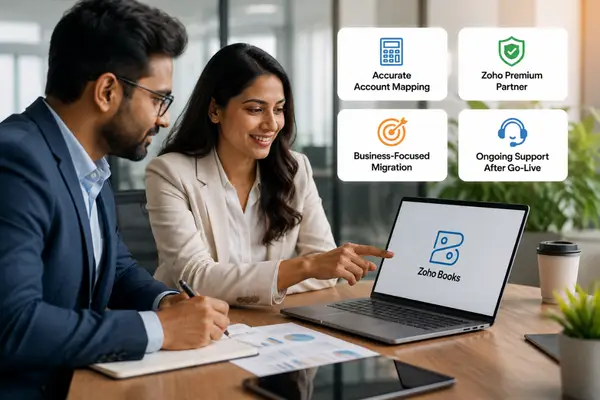
Techvaria treats account mapping as an accounting decision, not simply a data task. We carefully map accounts, balances, customers, vendors, and transactions to help ensure accurate, reconcilable books after migration.

As a Certified Zoho Premium Partner, we bring Zoho Books implementation and UAE/GCC compliance expertise to your migration, including VAT and e-invoicing configuration where required.

We scope each QuickBooks to Zoho Books migration around your business needs. Instead of moving unnecessary historical data, we help determine what should remain operational and what can be archived, reducing cost and migration risk.

Our support continues after go-live, with training, troubleshooting, compliance assistance, and ongoing Zoho Books implementation. Businesses migrating from Tally can also explore Tally to Zoho Books migration and our broader Zoho migration services.

Hear From Our Clients

Industries We Migrate From QuickBooks

Frequently Asked Questions

It depends on your transaction volume, how many years of history you’re migrating, and whether multiple entities or currencies are involved. A small business migrating opening balances plus the current year can be done in days to a couple of weeks. A multi-entity business with several years of history typically takes six to twelve weeks, often run in phases. We give a firm timeline after reviewing your actual QuickBooks data.

Yes, if the migration is done properly. We reconfigure your tax codes and VAT settings to match the correct regime for where you operate, then validate that reports reconcile against what was previously filed from QuickBooks before considering the migration complete.

Yes. We build and validate the Zoho Books environment while your team continues working in QuickBooks as normal. For anything beyond a very small business, we recommend a parallel run β€” both systems operating side by side for a defined period β€” before QuickBooks is retired.

No, and in most cases we’d advise against it. We generally recommend migrating opening balances as of your current financial year plus recent transactions, with older history archived or exported separately for audit purposes. Migrating unnecessary history adds time and cost without adding business value.

QuickBooks isn’t natively accredited for the UAE’s e-invoicing framework and typically requires third-party middleware to comply. Zoho Books has native FTA accreditation and generates compliant e-invoices directly. We configure this as part of the migration, so your business is aligned with current and upcoming e-invoicing requirements from day one in the new system.

Custom fields don’t carry over automatically for non-standard data and need to be recreated manually in Zoho Books. Reports are rebuilt natively in Zoho Books rather than imported as static exports, since Zoho’s reporting structure differs from QuickBooks’.

Cost depends on transaction volume, historical depth, number of entities or currencies, and how clean your existing QuickBooks data is, plus any compliance configuration required for your operating region. We provide an exact quote after reviewing your data rather than a flat rate.

Yes. Each entity or currency is mapped and migrated with its data structured correctly in Zoho Books, and we configure multi-currency handling and consolidated reporting to match how your business actually operates across markets.

Resources

Latest Blogs