
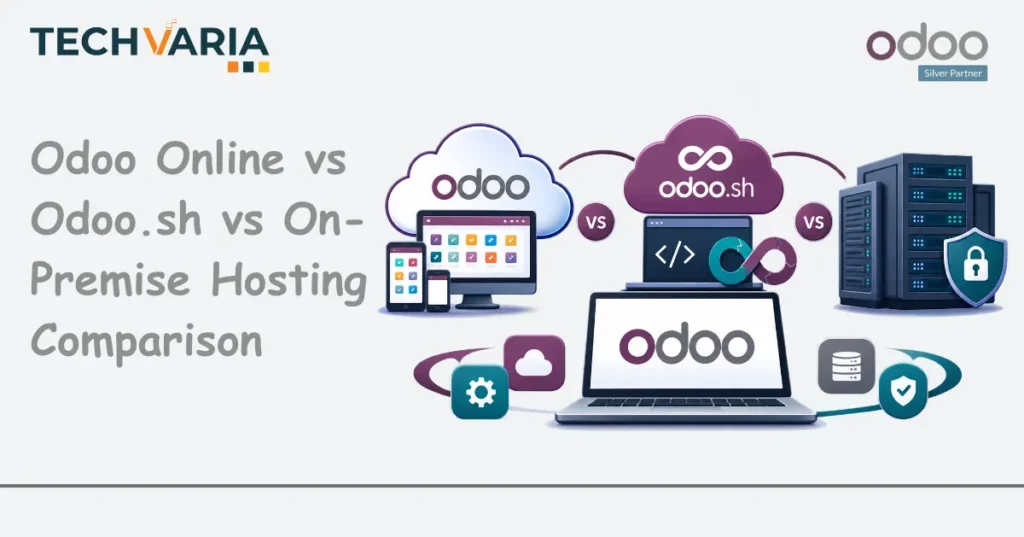
The Decision Nobody Writes Down
Somewhere near the start of an Odoo project, someone asks where it will run. The answer is usually given in a sentence, often by whoever is cheapest to ask, and the project moves on.
Two years later the same business discovers that a module it needs cannot be installed, or that an upgrade it assumed was included is a project with a budget, or that nobody is contractually responsible for the server that just stopped. At that point the hosting decision is no longer a line in a kick-off meeting. It is the constraint everything else has been built inside.
This article is the conversation that should have happened at the start. It covers what each of the three hosting models actually permits, who carries which responsibility, the single question that usually settles the choice, and what it takes to change your mind later. It is written for the person who will be held accountable for the answer: a CTO, an IT manager, a founder, or the finance director signing it off.
The Business Problem: A Technical Choice With Commercial Consequences
Hosting looks like an infrastructure question. It is not. It is three commercial decisions wearing one name.
- It decides what you are allowed to build. Each model permits a different degree of modification, and the boundary is not negotiable by asking nicely. A requirement that needs a custom module is a requirement that has already chosen your hosting model, whether or not anyone noticed.
- It decides who is responsible when something breaks. On one model the vendor runs the platform and publishes an uptime commitment. On another, responsibility for robustness, performance and scalability is explicitly yours. The difference matters most on the day it matters at all.
- It decides the shape of your upgrade path. Who performs version upgrades, what they cost, and what has to be retested are all downstream of this choice, and upgrade cost is the item that most often surprises Odoo customers in year three.
The reason it gets decided badly is simple: at project start, the business is thinking about functionality, not about the envelope around it. The hosting question arrives early, when the custom requirements that would have answered it have not yet surfaced.
What It Costs to Get This Wrong
- Choosing the most restricted model and then needing to customise. The requirement arrives in month seven. The platform will not take it. You either drop the requirement, work around it awkwardly, or migrate mid-project. Migration mid-implementation is the most expensive version of this problem.
- Choosing the most permissive model and not having the skills to run it. Odoo’s own guidance recommends on-premise only for customers with advanced technical knowledge, and suggests a partner for everyone else. Businesses that take full control without the capability to exercise it end up with an unpatched server, no tested restore, and an upgrade nobody wants to attempt.
- Paying twice for infrastructure you were already buying. Managed models include hosting, backups, monitoring and security updates. Running your own and then adding a managed services contract to cover the same ground is a cost most businesses never compare directly.
- Discovering the upgrade is yours. The most common late surprise. Who performs the version upgrade, and whether your customisations survive it, varies by model; on the most permissive model, third-party apps are explicitly your responsibility to maintain and upgrade.
Odoo Online: The Standard Product, Properly Run
Odoo’s own description is unambiguous: Online is the best option if what you want is standard software. That framing is the most useful thing anyone will tell you about it.
What it permits. Certified apps can be installed. Odoo Studio allows customisation of views, reports and automations without code. What it does not permit, explicitly for stability reasons, is third-party apps or changes to source code.
Who runs it. Odoo handles hosting, monitoring, security updates and upgrades to new releases. Uptime is stated at 99.9%, excluding planned maintenance.
Backups. Daily full backups, replicated across at least three machines on different continents, with the last three months downloadable.
Who it suits. Businesses whose processes can live inside standard Odoo plus Studio configuration, which is a far larger group than most people assume, and a much smaller group than most people hope. The honest test is not whether you could run standard; it is whether you will still be willing to in month nine, when a department head asks for something the product does not do.
The trap to avoid. Assuming “we will just customise later”. On this model, later is a migration, not a change request.
Odoo.sh: Managed Platform With Developer Tooling
Odoo.sh is the middle path, and for most businesses that need genuine customisation it is the default answer rather than a compromise.
What it permits. Certified apps, third-party apps from the Odoo app store, and your own modules. Odoo’s own material is explicit that writing your own modules is available only on Odoo.sh and on-premise.
What it provides beyond hosting. GitHub integration, an online editor, continuous integration, staging environments and branch management. That staging capability is the part worth paying attention to: it is the difference between testing a change properly and testing it on your live business.
Who runs it. Odoo SA manages the platform. Daily incremental backups of production are kept in three data centres on different continents, with the last three months downloadable. Uptime is stated at 99.9%, the same as Online.
What you still choose. The architecture (workers, storage, staging environments), which means capacity planning remains a decision you own, even though the platform is managed.
Who it suits. Any business with custom modules, third-party apps, or a development partner, that does not want to run system administration. In practice this covers most mid-market Odoo implementations with meaningful process complexity.
On-Premise: Full Control, Full Responsibility
The most capable option and the most frequently chosen for the wrong reason.
What it permits. Everything: certified apps, third-party apps, and modules you build yourself. Odoo describes it as offering the greatest control and customisation possibilities.
What you take on. The infrastructure, and that word covers more than a server. Odoo’s guidance names robustness, cost, backups and test environments as your responsibility. Maintaining and upgrading third-party apps is also yours; Odoo SA remains responsible only for certified apps.
What you do not get. Odoo SA provides no guarantee or service level agreement on robustness, performance or scalability. This is the sentence that should be read twice before this model is chosen.
Odoo’s own recommendation. It is recommended for customers with advanced technical knowledge, with a partner suggested for those without it.
Who it genuinely suits. Organisations with an in-house IT function that already runs production systems, businesses with data residency or network isolation requirements that a cloud model cannot satisfy, and deployments with unusual integration needs into on-site equipment or internal networks.
Who chooses it anyway, and should not. Businesses attracted by the absence of a platform subscription line. The infrastructure, the administration time, the backup regime, the test environment and the upgrade effort do not disappear; they move from a subscription into salaries and risk, where they are harder to see and easier to under-resource.
The Question That Actually Decides It
Most hosting debates are conducted in the wrong currency (cost per user, control, cloud versus on-site). The question that resolves it is narrower:
Will this implementation need code that is not a certified Odoo app?
If the honest answer is no, Odoo Online is the right model and anything else is complexity you are buying for no reason.
If the answer is yes, or even probably, Online is already eliminated, and the real choice is between Odoo.sh and on-premise. That second choice is then decided by a different question:
Do you have, and will you keep, the people to run production infrastructure?
Not “could we set up a server”; almost anyone can. The question is whether, in eighteen months, someone will still be applying security patches, testing restores, maintaining a staging environment and planning upgrades. If that person does not exist on your organisation chart, Odoo.sh is the answer, and choosing on-premise is choosing to discover the gap later.
A practical way to answer the first question honestly: list the requirements your team has already described as “we need it to work the way we do it now”. Each of those is a candidate for custom code. If the list is empty, you are genuinely a standard-product business. If it has six items on it, you are not, regardless of what anyone hoped at kick-off.
Backups, Uptime and Who Is Accountable
Worth separating, because these are the terms people assume rather than check.
| Odoo Online | Odoo.sh | On-premise | |
|---|---|---|---|
| Backups | Daily full backups, replicated across at least three machines on different continents; last 3 months downloadable | Daily incremental backups of production in three data centres on different continents; last 3 months downloadable | Yours to design, run and test |
| Stated uptime | 99.9%, excluding planned maintenance | 99.9%, excluding planned maintenance | No guarantee or SLA from Odoo SA on robustness, performance or scalability |
| Security updates | Odoo | Odoo manages the platform | Yours |
| Version upgrades | Odoo upgrades to new releases | Platform managed by Odoo SA; plan the upgrade of your own code | Yours, including third-party apps |
| Third-party app maintenance | Not applicable (not permitted) | Yours, with platform tooling to test it | Yours |
Two points that follow from the table.
A backup you have never restored is a belief, not a control. On the managed models this is largely handled for you. On-premise, the restore test is a task somebody has to own and schedule, and it is the task that quietly never happens.
If you use a third-party hosting provider for an on-premise deployment, read their contract specifically. Odoo’s own guidance says to check uptime, disaster recovery, access to backups and extra costs. “It’s on AWS” is not an answer to any of those four questions.
Can You Change Your Mind Later?
Yes, and businesses do. The most common move is from Online to Odoo.sh, when a customisation requirement finally forces the issue.
What makes the move easy or hard is not the data. It is everything built around it: integrations pointing at the old environment, reports and documents configured in place, user access and authentication, scheduled jobs, and whatever Studio customisation exists.
Three things make a later move considerably less painful, and all three are decisions you make now:
- Document your configuration as you build it. Studio changes, automations and report modifications are easy to make and easy to forget. An undocumented configuration is a migration you will have to rediscover by hand.
- Keep integrations loosely coupled. Point them at a name you control rather than at an environment-specific address, so moving the environment does not mean reopening every connected system.
- Decide your data residency position early. If where the data sits matters to your contracts or your regulator, that constraint should shape the original choice rather than invalidate it later.
The cost of switching rises with time, with user count and with integration depth, which is the argument for getting the decision deliberately right at the start rather than defaulting into it and correcting at scale.
Hosting Models Compared
| Consideration | Odoo Online | Odoo.sh | On-premise |
|---|---|---|---|
| Certified Odoo apps | Yes | Yes | Yes |
| Third-party apps | No, not permitted | Yes | Yes |
| Your own custom modules | No | Yes | Yes |
| Studio configuration | Yes | Yes | Yes |
| Source code changes | No (stated as a stability restriction) | Platform managed; your code is yours | Full control |
| Staging environment | Not applicable | Built in, with branch management | Yours to build |
| Developer tooling | Not applicable | GitHub integration, online editor, continuous integration | Whatever you set up |
| Who runs the platform | Odoo | Odoo SA | You |
| Security updates | Odoo | Odoo | You |
| Infrastructure cost and robustness | Odoo | Odoo | Your responsibility, no SLA from Odoo SA |
| Technical skill required | Minimal | Moderate, or a partner | Advanced (Odoo recommends it only for those with it) |
| Best fit | Standard processes, Studio-level configuration only | Custom modules without running infrastructure | In-house IT, residency or network constraints |
Best Practices
- Make the customisation list before you make the hosting decision. Every “it needs to work the way we do it” requirement is a vote against the most restricted model.
- Decide on-premise only if you can name the person who will own it, and the person who covers for them.
- Choose Odoo.sh by default when you need custom code and have no dedicated infrastructure team. It is the model that matches the most common mid-market situation.
- Read the backup and uptime terms rather than assuming them, particularly for any third-party hosting arrangement.
- Test a restore before go-live on any model where restoring is your responsibility.
- Document every Studio change and automation as you make it. It is your migration plan, written in advance and for free.
- Confirm data residency requirements with whoever owns compliance before the environment is created, not after.
- Budget for upgrades explicitly. Whoever performs them, they are work, and a version you never leave becomes an unsupported version.
- Keep a staging environment and use it. On Odoo.sh this is built in; on-premise it is a line item people cut, and then test on production.
- Revisit the decision at major milestones. A significant user increase, a new entity, or a change in regulatory position are all reasons to re-examine it deliberately.
Common Mistakes
- Choosing on price per user alone. The subscription is the visible cost. Administration time, backup regime, test environments and upgrade effort are the invisible ones, and they do not vanish by being unbudgeted.
- Assuming you can customise later on Odoo Online. Third-party apps and source code changes are not permitted there. Later is a migration.
- Taking on-premise for control, then not exercising it. An unpatched server with an untested backup has none of the control that was the reason for choosing it.
- Not reading a third-party host’s contract. Uptime, disaster recovery, backup access and extra costs are four separate questions and a hosting invoice answers none of them.
- Treating Studio configuration as free of consequence. It is undocumented change unless somebody writes it down.
- Letting the implementation partner decide by default. A partner’s preferred model is a useful input, not a substitute for your own analysis of customisation and capability.
- Deciding before the requirements workshop. The requirements decide the hosting model. Reversing that order is how businesses end up in the wrong envelope.
- Forgetting third-party app maintenance on-premise. Odoo SA remains responsible for certified apps. Everything else is yours, including its upgrades.
An Illustrative Scenario: A Distribution Business at 60 Users
The following is a composite illustration drawn from patterns common to implementations of this size. It is not an account of a specific Techvaria client, and no figures below come from any real engagement.
Consider a distribution business of roughly sixty users, running sales, purchasing, inventory and accounting, with two warehouses and an existing e-commerce storefront.
How the Decision First Gets Made
At kick-off, the finance director compares the published cost of the most managed option against a quote for a virtual server and concludes that self-hosting is cheaper. Nobody disagrees, because at that point nobody has a reason to.
What the Requirements Workshop Then Produces
A picking process that does not match standard flows. A customer-specific pricing rule that Studio cannot express. An integration into the e-commerce platform that needs a connector. A delivery note layout the warehouse genuinely needs. Three of these four imply code.
What This Means
Odoo Online is eliminated by the first custom module, not by a preference. The real choice was always between the managed platform and self-hosting, and the comparison the finance director ran was never the relevant one.
The Capability Question
The business has one IT person who supports laptops, the network and a phone system. They have never run a production database, and there is no second person. On-premise would place backups, patching, a staging environment and upgrades on someone with no capacity for them and no cover.
Where It Lands, and Why
The managed platform, because it permits the custom modules the requirements demand, provides the staging environment that makes testing those modules safe, and leaves platform operation with the vendor. The decision stops being about cost per user and becomes a question about which risks the business is equipped to carry.
The Part Worth Noticing
Nothing in this scenario is unusual, and the original decision was not unreasonable; it was simply made before the information that would have answered it existed.
Industry Use Cases
- Manufacturing. Shop-floor integrations, equipment connections and process-specific logic make custom code the norm rather than the exception, which usually eliminates the most restricted model early. See manufacturing solutions.
- Trading and distribution. Typically custom pricing and picking logic plus channel integrations: the pattern in the scenario above. See trading and distribution.
- Logistics. Carrier connectors, scanning hardware and tracking integrations, several of which are third-party apps rather than certified ones. See logistics solutions.
- Healthcare. The sector where data residency and network isolation requirements most often make on-premise a requirement rather than a preference, and where the capability question therefore has to be answered rather than avoided. See healthcare solutions.
- IT and professional services. Usually the best equipped to run on-premise, and frequently the quickest to conclude they would rather spend that capacity on client work. See IT services and ERP.

Mustufa Rahi is an Odoo Certified Functional Consultant and ERP expert at Techvaria with 15+ years of experience in implementation, automation, and business process optimization, helping organizations scale efficiently.

