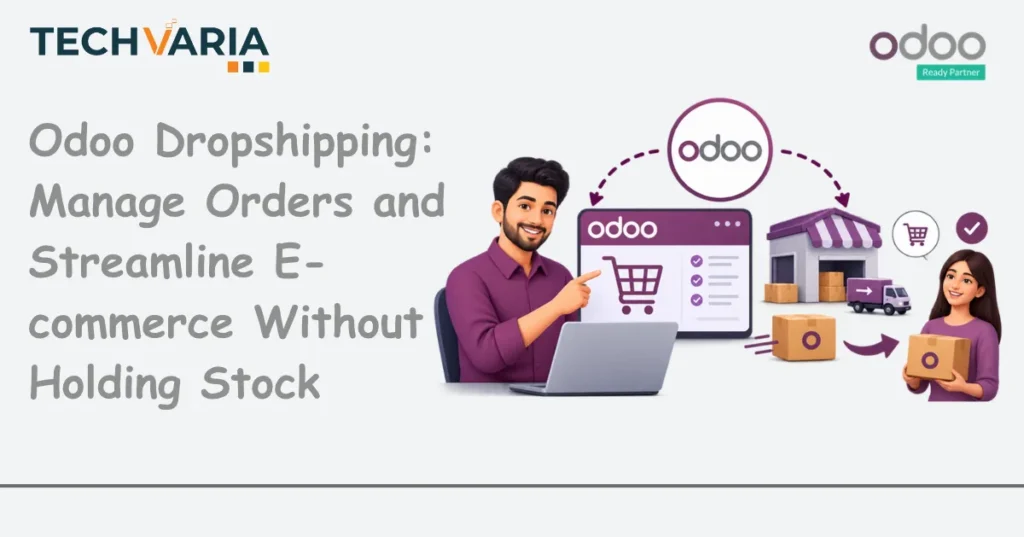
Dropshipping looks simple on paper. A customer orders, you pass the order to the supplier, the supplier delivers, you invoice the customer and pay the supplier. You never hold stock, so you never pay for a warehouse.
In practice, the business sits between two parties it does not control. The customer asks where their order is, and you have to ask the supplier. The supplier invoices a different quantity from what you sold. A delivery fails and nobody tells you. A return comes back to your office instead of the supplier. Margin per order is something finance works out weeks later, if at all.
Odoo has dropshipping built in. Its documentation describes a Dropship route that turns a sales order into a request for quotation to the supplier, and a dropship transfer from supplier to customer. This guide explains how that works and where the process still needs design: delivery confirmation, invoicing, margin, returns and customer communication.
Odoo capabilities below come from Odoo’s version 18 documentation. Confirm behaviour for your version and edition.
Why dropshipping goes wrong
The order lives in email. Sales passes the order to the supplier by email or message, so the link between the customer’s order and the supplier’s order exists only in an inbox.
Nobody confirms delivery. The business assumes the supplier delivered. It finds out otherwise when the customer complains or refuses to pay.
Invoices go out at the wrong time. Some businesses invoice on order, before anything ships; others forget to invoice at all.
Supplier bills do not match. Quantities or prices differ from the purchase order, and nobody checks.
Returns have no route. The customer sends goods back to the seller, who never stocked them.
What it costs
Margin leakage from supplier price differences and unbilled orders.
Customer experience. Customers ask the seller, the seller asks the supplier, and answers take days.
Cash flow problems when supplier bills are paid before customers pay, or customers are not invoiced.
Finance time spent reconciling orders, deliveries and bills by hand.
How dropshipping works in Odoo
Setup
According to Odoo’s documentation:
- Enable dropshipping in the Purchase app settings, under Logistics.
- Set the product as both sellable and purchasable.
- Add the vendor and their price on the product’s Purchase tab. Several vendors can be listed; the first is selected automatically for purchase orders.
- Enable the Dropship route on the product’s Inventory tab.
Odoo notes that enabling the Buy route as well as Dropship lets you either dropship the product or buy it into stock.
From sales order to delivered goods
Per Odoo’s documentation:
- When a sales order is created for a dropshipped product, Odoo automatically generates a request for quotation to the vendor. It is visible from a Purchase button on the sales order.
- When the RFQ is confirmed, it becomes a purchase order, and a dropship receipt is created and linked to it.
- The dropship transfer shows the vendor as the source and the customer as the destination.
- When the product is delivered to the customer, the transfer is validated to confirm the delivered quantity.
- All dropship orders can be seen from a Dropship card on the Inventory overview dashboard.
So the sales order, the purchase order and the delivery are linked in one system, instead of across email threads.
The gaps the setup does not close
The documentation describes the mechanics. It does not decide:
- who confirms delivery, and on what evidence;
- when the customer is invoiced;
- how supplier bills are checked against what was delivered;
- how margin per order is reported;
- how returns are handled;
- how the customer is kept informed.
Those are process decisions, and they are where dropshipping succeeds or fails.
Designing the process around Odoo
Delivery confirmation
Validating the dropship transfer is the event that matters, because it records what was delivered. Decide who does it and on what evidence: a supplier’s dispatch confirmation, a courier tracking number, or a proof of delivery. Ask key suppliers to send confirmation in a consistent form. Review open dropship transfers daily from the Dropship card; an old open transfer means an order nobody has checked.
Invoicing timing
Agree the invoicing policy: on order, on dispatch, or on delivery. For most B2B dropshipping, invoicing on confirmed delivery reduces disputes. For prepaid e-commerce, payment is taken on order and the invoice follows the policy your accountant agrees. Configure the products’ invoicing policy accordingly, and confirm it on a test order.
Margin per order
Because each dropship sales order is linked to its purchase order, margin per order can be reported once the supplier’s price is right. Two disciplines make that reliable:
- Keep vendor prices current on the product, so the RFQ starts with the right price.
- Check supplier bills against the purchase order and delivered quantity. Our Odoo Purchase Module guide covers bill matching.
Odoo’s documentation reviewed here does not describe the accounting entries for dropshipped goods. Confirm the treatment with your accountant and partner during setup.
Returns
Decide in advance where returned goods go (usually back to the supplier) and agree it in the supplier contract. Record the return in Odoo so the customer credit note and the supplier credit are linked to the original orders. Do not let returns arrive at an office with no process for them.
Customer communication
Customers do not know or care that a third party ships their order. Capture tracking numbers on the transfer, and send confirmations from Odoo where your setup allows. Give the customer service team one screen to answer “where is my order?” instead of a call to the supplier.
Mixed models: dropship and stock
Many businesses stock fast movers and dropship the long tail, bulky items or special orders. Odoo’s documentation notes that enabling both the Buy and Dropship routes gives the option to dropship or purchase into stock.
Decide the rule. A product can default to stock and be dropshipped for large orders. Or it can default to dropship and be stocked once it sells regularly. Review the split quarterly: a dropshipped product that sells every week may be cheaper to stock, and a stocked product that rarely sells may be better dropshipped. Our guide to Odoo for trading and distribution covers the stock-based side.
Choosing and managing dropship suppliers
In dropshipping, the supplier is your warehouse and your delivery team. Choose them on that basis, not only on price.
What to agree before the first order:
- how orders are sent and acknowledged;
- dispatch lead times by product;
- how dispatch and delivery are confirmed, including tracking numbers;
- packaging and documents (whose name appears on the parcel);
- how bills are raised, and against which reference;
- returns and damaged-goods handling.
What to measure every month:
- orders dispatched on time;
- deliveries confirmed without chasing;
- bills matching the purchase order first time;
- returns and their causes.
Share the results with suppliers. A supplier who sees their own numbers usually improves; one who never hears about problems has no reason to.
Dropshipping from online stores and marketplaces
Many dropship orders start online. The value of Odoo’s dropship flow depends on orders arriving as Odoo sales orders automatically, rather than being typed in from a store dashboard.
Website orders. If the store runs on Odoo’s own website app, orders are already Odoo sales orders.
Other stores and marketplaces. Orders from external platforms need a connector or integration so they create sales orders, which then trigger the dropship RFQ.
Stock availability. Dropshipped products do not sit in your stock, so the availability shown online depends on what the supplier can ship. Agree how supplier availability is communicated, and avoid promising delivery dates you cannot see.
Order status back to the channel. Customers on marketplaces expect tracking updates. Plan how dispatch confirmation and tracking flow back to the store.
India and UAE considerations
Tax invoices. The seller invoices the customer, and the supplier invoices the seller. Each sale needs a compliant tax invoice from the right party. Confirm with your adviser how your invoicing policy fits local rules.
India. India’s GST rules treat bill-to-ship-to transactions specifically, including how e-way bills are generated when goods move from the supplier directly to your customer. Agree with each supplier who generates which documents, and confirm the treatment with your tax adviser.
UAE. Input VAT recovery on the supplier’s bill depends on a valid tax invoice and, since October 2026, documented supplier due diligence. From 2027, UAE e-invoicing will apply to in-scope businesses. Check how both affect your supplier onboarding and invoicing.
Cross-border dropshipping. Where the supplier ships across borders, customs, duty and the importer of record need to be agreed in advance. These are not settings in Odoo; they are commercial and tax decisions.
Implementation guidance
- List dropship products and suppliers, with lead times and delivery methods.
- Clean vendor data: prices, lead times and contacts on each product.
- Agree supplier terms: order format, delivery confirmation, tracking, invoicing and returns.
- Configure the routes on dropship products, and Buy as well where both apply.
- Set the invoicing policy with your accountant.
- Decide who validates dropship transfers and on what evidence.
- Connect sales channels. If orders come from an online store or marketplace, make sure they arrive as Odoo sales orders. Our Odoo integration services cover marketplace and store connections.
- Test end to end: order, RFQ, PO, delivery, invoice, supplier bill and return.
- Build the views: open dropship transfers by age, and margin by order and supplier.
- Review supplier performance monthly: late deliveries, bill differences and returns.
Measuring dropship performance
Five measures show whether the dropship channel is under control:
- Age of open dropship transfers. Orders confirmed but not delivered, by days open.
- Delivery confirmation without chasing. The share of orders confirmed from supplier information rather than customer complaints.
- Margin per order and per supplier. Calculated from the linked sales and purchase orders.
- Bill differences. Supplier bills that differ from the purchase order, and their value.
- Returns rate by supplier and product.
Review these monthly. They tell you which suppliers to keep, which products to stock instead, and where the process is breaking.
Best practices
One supplier per product by default. Odoo selects the first vendor listed.
Validate on evidence, not assumption.
Invoice on a defined event.
Check every supplier bill against the PO and delivered quantity.
Track supplier performance. Your customer’s experience depends on it.
Keep tracking numbers in Odoo, not in email.
Common mistakes
Treating dropshipping as a product setting only.
Never validating dropship transfers, so open orders pile up and delivery is unknown.
Out-of-date vendor prices, which make every margin report wrong.
No returns process.
Paying suppliers before confirming delivery.
Orders entered by hand from an online store instead of connected.
An illustrative scenario: a Bangalore office supplies seller
This is a fictional, composite scenario for illustration. It does not describe a Techvaria client.
A Bangalore-based seller of office furniture and supplies stocks fast-moving consumables and dropships furniture from three manufacturers. Furniture orders are emailed to the manufacturers, deliveries are confirmed when customers call to complain, and margin on furniture is calculated quarterly.
The company enables dropshipping in Odoo, sets the Dropship route on furniture and both routes on items it sometimes stocks, and updates vendor prices. Manufacturers agree to send dispatch confirmation with a tracking number. A coordinator validates dropship transfers daily from the Dropship card. Customers are invoiced on confirmed delivery. Supplier bills are matched to purchase orders before payment. Returns go back to the manufacturer under agreed terms.
Furniture is still shipped by the manufacturers. The difference is that every order now has a status, a margin and an owner.
Industry use cases
E-commerce and D2C brands selling bulky or long-tail products shipped by manufacturers.
Office, IT and industrial suppliers offering wide catalogues without stocking them.
Furniture, fixtures and building products where items ship from factories.
Distributors dropshipping special orders alongside stocked lines.
B2B marketplaces and procurement service businesses.
Fulfilment models compared
| Model | Works when | Where it breaks |
|---|---|---|
| Stock everything | High, predictable demand | Capital tied up in slow stock |
| Dropship by email | Very few orders | No link between orders; no delivery confirmation; margin unknown |
| Dropship route in Odoo with a designed process | Wide catalogues, bulky items, special orders | Needs supplier discipline, validation ownership and an invoicing policy |
| Mixed: stock fast movers, dropship the rest | Most growing sellers | Needs a clear rule and quarterly review of which products sit where |

Mustufa Rahi is an Odoo Certified Functional Consultant and ERP expert at Techvaria with 15+ years of experience in implementation, automation, and business process optimization, helping organizations scale efficiently.