A group finance controller closes the month and finds that Company A shows AED 1.2 million owed by Company B, while Company B shows AED 1.05 million owed to Company A. The difference is an invoice B never booked, a credit note A forgot, and a price that changed in one company but not the other. Every month, someone spends days finding the gap.
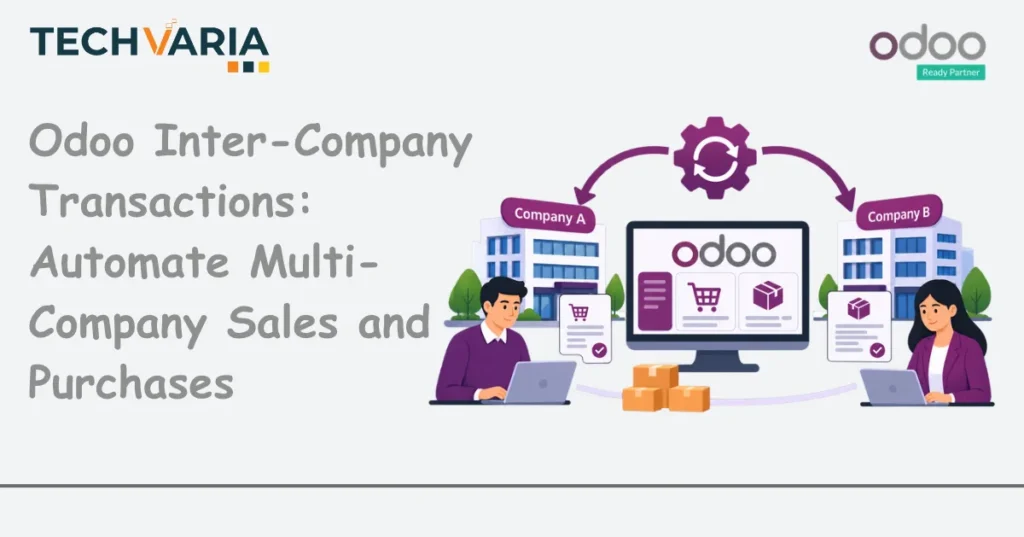
This happens because the same transaction is recorded twice, by different people, at different times. Odoo’s Inter-Company Transactions feature addresses the root cause: when one company in the database sells to another, Odoo can create the matching purchase order, sales order or vendor bill in the other company automatically.
This guide explains how the feature works according to Odoo’s documentation, what must be configured before switching it on, how to design flows for goods and services, and where it does not remove the need for finance judgement.
Capabilities below are from Odoo’s version 19 multi-company documentation. Confirm for your version and edition.
The problem: one transaction, two sets of books, two versions
- Double entry by different teams. The selling company invoices; the buying company enters a bill when it notices. Timing, amounts and references drift apart.
- Price differences. One company updates a transfer price; the other keeps the old one.
- Missing documents. Credit notes and returns are recorded on one side only.
- Stock in transit is invisible. Goods have left one warehouse but are not yet received in the other.
What it costs
- Days at month-end spent reconciling inter-company balances.
- Unreliable group figures when balances do not eliminate cleanly.
- Tax exposure where inter-company invoices, or the related-party disclosures that rely on them, are wrong.
- Audit findings on unreconciled balances.
How inter-company transactions work in Odoo
Odoo’s multi-company documentation describes the feature as allowing one company in the database to sell or purchase goods and services from another company within the same database.
The options
Per the documentation, inter-company transactions are enabled from the company settings (with the relevant company selected), and each company can be set to:
- Create vendor bills. When the other company posts a customer invoice, this company receives a matching vendor bill.
- Create sales orders. When the other company confirms a purchase order to this company, a matching sales order is created.
- Create purchase orders. When the other company confirms a sales order to this company, a matching purchase order is created.
- Synchronise stock moves between the companies.
- Validated: an option the documentation describes as applying across these settings.
The documentation names these options; test exactly when each document is created, and in what status, in your version before relying on it. It also notes that the Inter-Company Transactions tab on company records is visible in developer mode.
What must be configured first
The documentation warns that, to handle inter-company transactions correctly, general and specific configurations must be set properly, including fiscal positions and localisations. It also notes that warehouses for additional companies must be created manually.
There is also a commercial point. Odoo’s documentation notes that enabling multi-company on a Standard plan triggers an upsell to the Custom plan. Check your plan before designing a group structure in one database.
Access control is a different question
Inter-company rules and access control are often confused.
Access control decides which users can see and act in which company, warehouse or record. It is covered in our guide to Odoo 19 multi-company and multi-warehouse access control.
Inter-company rules decide what Odoo creates in Company B when Company A transacts with it.
A group needs both. Users of Company B should usually see the purchase order Odoo creates for them, but not Company A’s margins.
Designing inter-company flows
Goods
For goods moving between companies, decide whether one side creates the order and the other side’s document is generated, and whether stock moves should be synchronised. Typical pattern: the buying company raises a purchase order to the selling company, which generates a sales order; delivery and receipt are recorded in each warehouse; the selling company invoices and the buying company receives a vendor bill.
Services and recharges
Management fees, shared staff, IT and rent recharges usually have no order. The useful setting here is creating vendor bills from customer invoices, so the receiving company’s liability appears when the charging company invoices.
Pricing
Inter-company prices are both a finance and a tax matter. Keep inter-company price lists separate from customer price lists, document how prices are set, and review them with your tax adviser, especially where transfer pricing or related-party rules apply.
Matching flows to options
Most groups have a handful of recurring inter-company flows. Matching each to the right setting keeps the design simple.
| Flow | Typical pattern | Option to consider |
|---|---|---|
| Goods sold by one company to another | Buyer raises a purchase order; seller fulfils and invoices | Create sales orders in the selling company; create vendor bills in the buying company |
| Goods pushed by a central warehouse | Seller decides what to send | Create purchase orders in the buying company; consider stock move synchronisation |
| Management fees and shared services | Charging company invoices monthly | Create vendor bills in the receiving companies |
| Rent and asset recharges | Fixed monthly invoice | Create vendor bills; consider recurring invoices in the charging company |
Test each flow with a real example, including a credit note, before relying on it.
Inter-company funding and loans
Not every inter-company balance comes from trade. Groups also lend money between companies, pay expenses on each other’s behalf and move cash to where it is needed.
These rarely come from sales or purchase documents, so inter-company rules do not create them. Record them as journal entries in both companies, using the same dedicated inter-company accounts. Agree interest, terms and documentation with your adviser, since funding between related parties has tax and transfer pricing implications. Include funding balances in the monthly inter-company reconciliation, or they will become the differences nobody can explain.
Reconciliation and group reporting
Automatic documents reduce differences, but they do not remove reconciliation.
- Reconcile inter-company balances monthly. Receivable in one company against payable in the other, by counterparty.
- Use dedicated inter-company accounts for receivables, payables, revenue and cost, so balances are easy to find and eliminate.
- Design group reporting deliberately. How consolidated figures are produced, and how inter-company balances and profit in stock are eliminated, depends on your structure, currencies and reporting needs. Agree the approach with your accountant before go-live. Our Odoo reporting and dashboards guide covers management reporting.
UAE and India considerations
UAE. Many groups combine free zone and mainland entities. Transactions between them are related-party transactions, with UAE corporate tax implications, including disclosure, which our article on UAE related-party and connected-person disclosure covers. VAT treatment between entities, including tax groups, is a question for your adviser, and fiscal positions in Odoo must reflect the answer.
India. Supplies between registrations of the same business in different states are generally treated as taxable under GST, and supplies between related companies follow valuation rules. Confirm the treatment with your adviser and configure fiscal positions and taxes accordingly.
Currencies. Groups across the UAE, India and other countries trade in different currencies. Decide the invoicing currency for each inter-company flow, and how exchange differences are handled.
Roles and controls
- Who can create inter-company documents. Limit who can raise purchase or sales orders to group companies.
- Who approves inter-company prices. Usually group finance, not the sales teams in either company.
- Who reconciles. Name one person or team responsible for the monthly inter-company reconciliation across all companies.
- Audit readiness. Keep the inter-company design, price-setting method and monthly reconciliations together. Auditors and tax authorities ask for all three, and producing them quickly reflects well on the group’s controls.
Currencies and exchange differences
Groups that trade across the UAE, India and other countries often invoice inter-company in a currency that is foreign to one side.
- Agree the invoicing currency per flow. Usually the seller’s currency, or a common group currency such as USD. Write it into the inter-company agreement.
- Expect exchange differences. When one company’s receivable is in its own currency and the other company’s payable is in a foreign currency, revaluation and settlement create exchange gains and losses. These are real differences, not errors. Separate them from genuine mismatches in the reconciliation.
- Settle regularly. Long-outstanding inter-company balances accumulate exchange movements and make reconciliation harder. A monthly or quarterly settlement policy keeps balances small.
Year-end checklist
- Reconcile every inter-company balance by counterparty and currency.
- Confirm balances in writing between companies.
- Review inter-company prices against your documented method.
- Prepare related-party schedules required for tax filings.
- Record and explain any remaining differences before auditors ask.
- Document changes to inter-company flows during the year.
Implementation guidance
- Map inter-company flows: who sells what to whom, how often, in which currency.
- Confirm tax treatment for each flow with your adviser.
- Configure each company: localisation, fiscal positions, accounts, journals and warehouses (created manually per Odoo’s note).
- Set inter-company accounts for receivables, payables, revenue and cost.
- Choose the inter-company option per company: sales orders, purchase orders, vendor bills, stock moves.
- Set up inter-company price lists.
- Set access so each company’s users see what they need.
- Test each flow end to end, including credit notes and returns.
- Run a parallel month and reconcile.
- Document the design for auditors and future staff.
Measuring success
- Inter-company differences at month-end, by counterparty and value.
- Days to reconcile inter-company balances.
- Documents created manually on the receiving side; this should fall to near zero.
- Audit queries on inter-company balances.
Best practices
- Agree the tax treatment before configuring.
- Use dedicated inter-company accounts.
- Keep prices in one place.
- Reconcile monthly, not annually.
- Test returns and credit notes, not just sales.
- Separate access from automation.
Common mistakes
- Switching on inter-company rules before fiscal positions are right.
- Forgetting warehouses for additional companies.
- Mixing customer and inter-company price lists.
- Assuming automation removes reconciliation.
- Ignoring plan implications of multi-company.
- Giving every user access to every company to make inter-company work.
An illustrative scenario: a UAE trading group
This is a fictional, composite scenario for illustration. It does not describe a Techvaria client.
A UAE trading group has three companies in one Odoo database: an importing company in a free zone, a mainland distribution company, and a services company that employs shared staff. The importer sells to the distributor monthly. The services company recharges salaries and rent. Each company enters its own side, and the month-end inter-company reconciliation takes four days.
With its tax adviser, the group confirms VAT and corporate tax treatment for each flow. It configures fiscal positions, inter-company accounts and a transfer price list. The distributor raises purchase orders to the importer, which generate sales orders. The services company’s invoices generate vendor bills in the other two companies. Access is set so each team sees its own company and the documents created for it. After a parallel month, reconciliation takes half a day, and differences come only from timing.
Industry use cases
- Trading groups with import, distribution and retail companies.
- Manufacturing groups where a production company sells to sales companies.
- Service groups with shared-service recharges.
- Real estate and holding groups with management fees and inter-company funding.
Groups evaluating ERP options at this scale may also find our Odoo vs NetSuite comparison useful.
Approaches compared
| Approach | Works when | Where it breaks |
|---|---|---|
| Manual entry in each company | Very few inter-company transactions | Differences every month |
| Odoo inter-company rules with dedicated accounts | Companies in one Odoo database trading regularly | Requires correct fiscal positions, accounts, warehouses and prices |
| Separate databases with integration | Companies must be fully separated | More integration and maintenance |
| Spreadsheet-based group reporting | Small groups | Slow, error-prone, hard to audit |

Mustufa Rahi is an Odoo Certified Functional Consultant and ERP expert at Techvaria with 15+ years of experience in implementation, automation, and business process optimization, helping organizations scale efficiently.